 RepeatMe
AI in RepeatMe: decks from a description, a tutor in your chat
AI does the rough work: it drafts a deck from a topic description, fills in card fields and turns the mistakes you make in a lesson into cards. What to keep is your call. You need an account; API keys and subscriptions are not required.
Basic AI or your own chat
Wherever RepeatMe offers AI, you first choose how it runs.
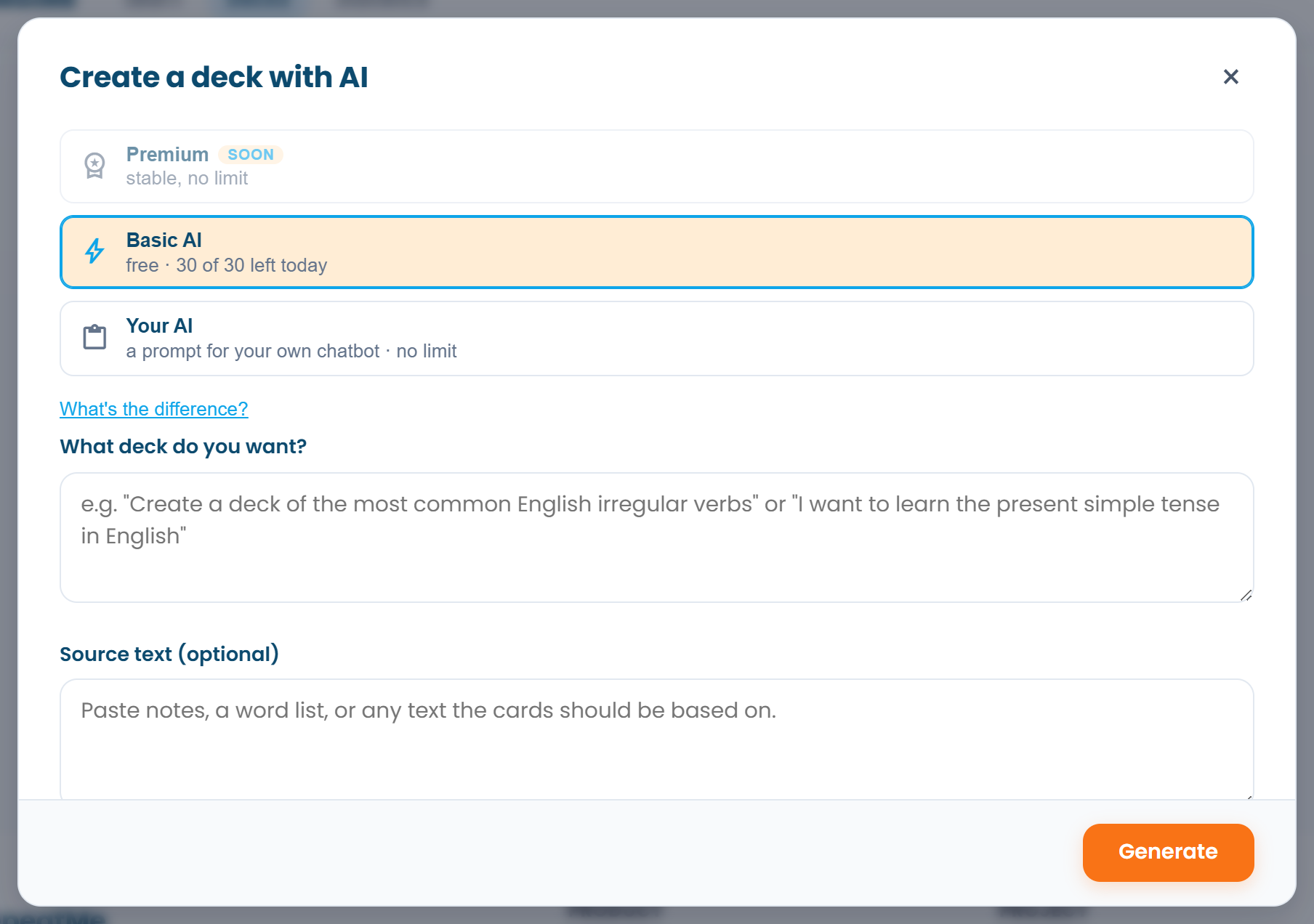 The remaining daily allowance of Basic AI is shown before you start.
Basic AI runs on our server, free and with nothing to set up. There is a daily allowance of operations, and the remainder is shown next to the choice. A deck, a card enrichment, a bulk enrichment and a quick-add each count as one operation, however many cards they involve.
Your AI is ChatGPT, Claude, Gemini or whatever chat you already use. RepeatMe composes the prompt, you paste it into the chat and bring the answer back. There is no allowance to run out of. When Basic AI is busy or you have used today's allowance, RepeatMe offers this route and keeps your request.
Pick Basic AI when you want the result in one click. Pick your own chat when the topic is large, you want a stronger model, or you have a document you would rather feed the AI directly.
Build a deck from a description
- In the deck catalogue, open the menu next to Create deck and choose Create with AI.
- Describe the deck you want: "the most common English irregular verbs" or "Present Simple with examples". Optional: paste a source text (notes or a word list) and the cards will be built from it.
- Press Generate. A plan appears first: a title and a list of questions with their answers. Fix or delete what you do not want. The plan costs nothing, so you can redo it as often as you like.
- Press Create deck. Each pair becomes a full card with learning modes, and the deck opens for you to check.
With Your AI the steps are the same, except that instead of generating on the server you press Build prompt, run it in your chat and paste the answer back: the block of cards it prints.
Fill in card fields
A card with only a question and an answer supports recognition and nothing else. Accepted answers, a gapped sentence and wrong options unlock the harder modes, and you do not have to write them by hand.
- One card. In the card form press Fill with AI, tick the fields you want and press Generate. Check what came back and save.
- Many cards. On the deck page press Bulk edit, choose the modes that are missing and press Fill with AI. The missing fields are filled for every listed card in one operation.
Add cards from a word list
Faster than one at a time: on the deck page press Add with AI and paste your words, one per line. You can add your own translation after a dash and it is kept as is.
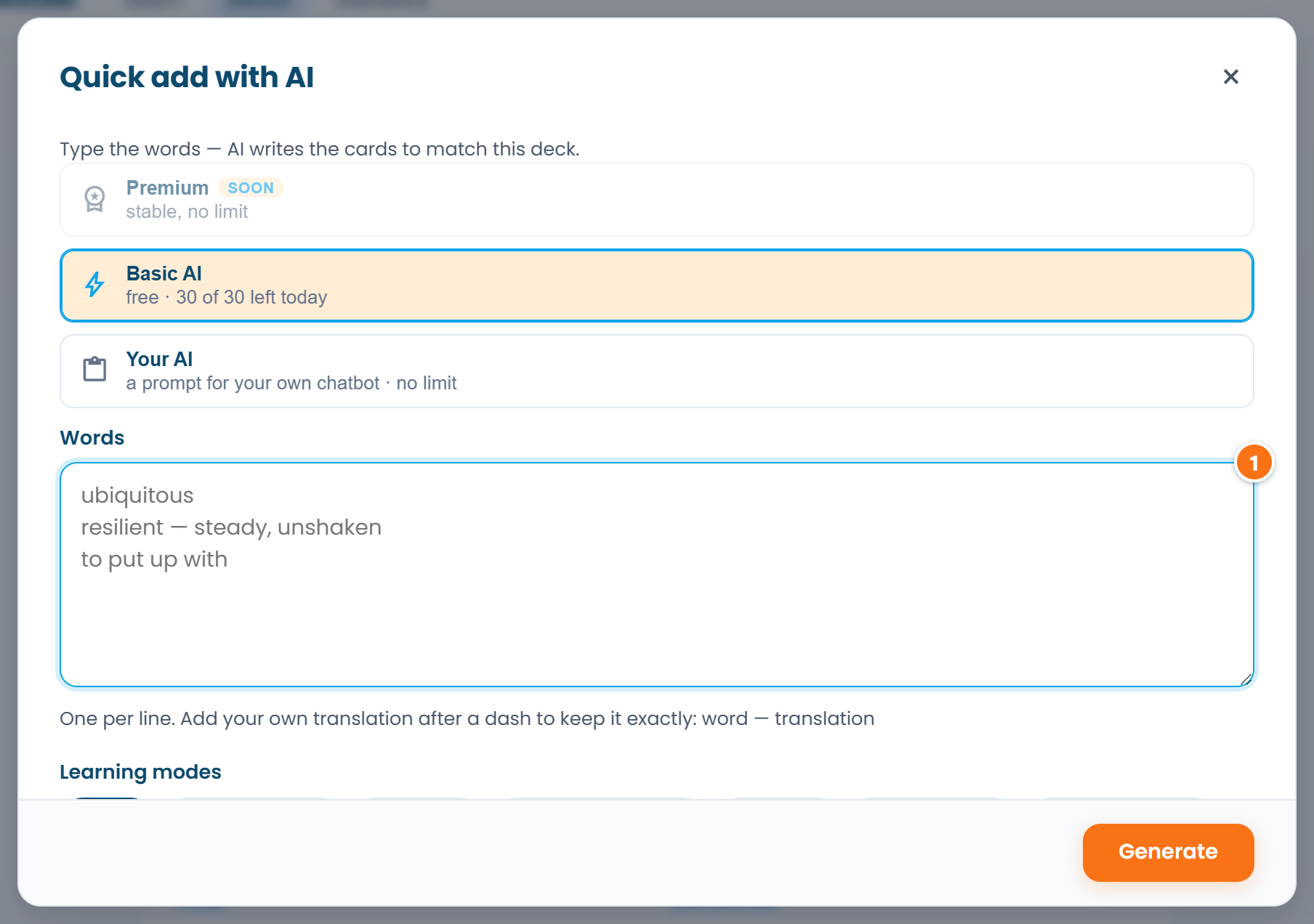 ① — one word per line; a translation after a dash is kept as is.
The new cards copy the style of the ones already in the deck: the same modes, the same level of detail. A preview lets you fix a wording or drop a card before anything is added.
Turn mistakes into cards
A deck can carry a lesson, and the lesson page is where the AI tutor lives.
- On the deck page open Lesson and press Start the session. A prompt with the lesson, the cards and your progress goes to the clipboard, and the chat you chose opens.
- Study. The AI explains, asks questions and checks your answers, logging mistakes by cause rather than by symptom: estoy un profesor three times is one cause and one future card.
- At the end the AI prints the cards and the lesson status. Press Paste the result, paste them and confirm. The cards for your mistakes go into the deck if it is yours, or into your personal practice deck if it is not. Review now starts a session on them straight away.
The next session picks up where you stopped: the AI leaves a note under Where you left off, which you can read or clear.
What to check afterwards
Read generated cards once before the first session. The AI follows the card format well, but it does not know which of two synonyms you want marked correct or which sense of an ambiguous word you need. Fixing a card now is quicker than unlearning it later.
FAQ
Does "Your AI" need an API key?
No. It is copy and paste: the prompt goes into whatever chat you already use, and the answer comes back the same way.
What counts against the Basic AI daily allowance?
One generated deck, one card enrichment, one bulk enrichment or one quick-add: one unit each, regardless of how many cards were involved. Planning a deck is free. The counter resets at midnight UTC.
Can I give the AI a link or a PDF?
Not through Basic AI: it works on the text you typed or pasted as a source. If the material lives in a document, read it in your own chat and bring the cards back with the deck-builder prompt.