 RepeatMe
Quick start: your first deck and your first session
RepeatMe remembers for you when to review what: you write down what you want to know, and the service shows it again shortly before you would forget it. Ten minutes from now you will have a deck of your own and a first finished session. You need a free account.
1. Create a deck
In the deck catalogue, press Create deck.
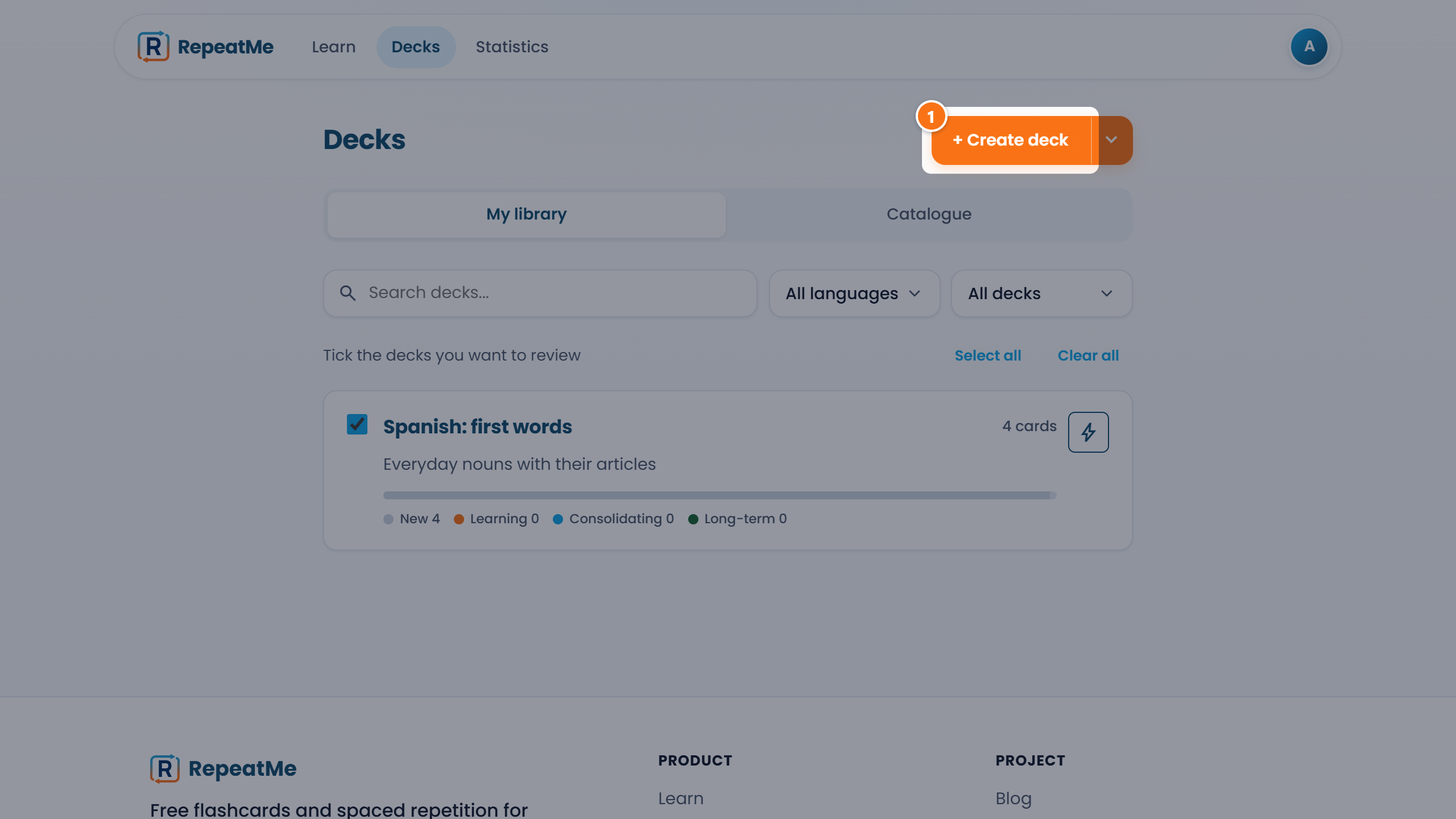 ① — the "Create deck" button; the arrow next to it opens creation with AI and import.
Three fields are enough:
- Title. What you are learning. It also becomes the deck's address.
- Front language and studied language. This pair decides which side gets pronunciation and which side you will be asked to type.
- Visibility. Private, by link or public. A public deck is listed in the catalogue and anyone can study it, even without an account.
All of it can be changed later.
2. Add cards
Press Add card. Only the question and the answer are required: with those two a deck already supports flipping and multiple choice.
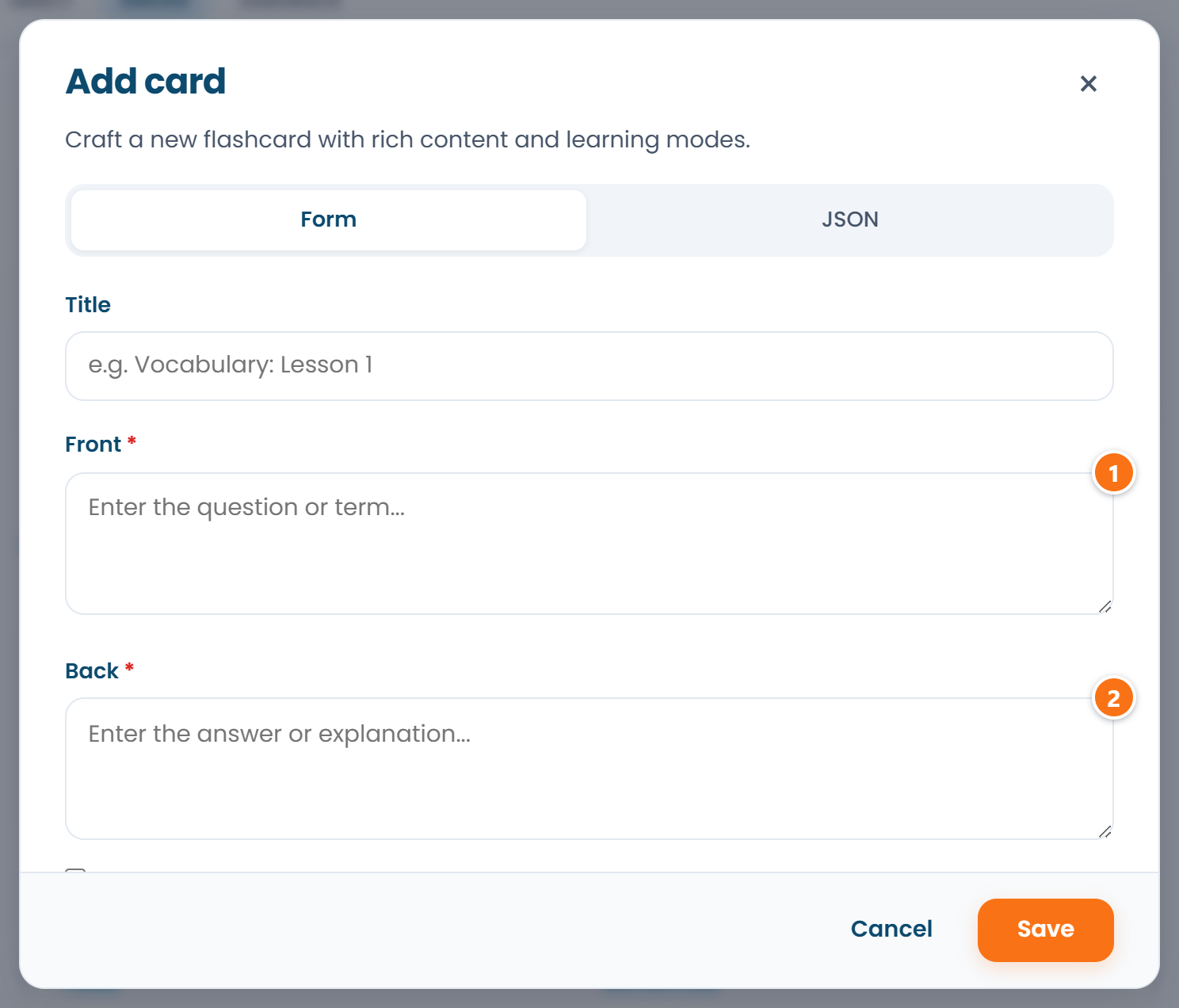 ① — the question, ② — the answer. The other fields can wait.
The other fields unlock harder questions:
| Field | What it gives you |
|---|---|
| Accepted answers | typing the answer from memory |
| A sentence with a gap | fill-in-the-gap |
| Wrong options | multiple choice with distractors you wrote yourself |
| Explanation | a note you see after answering |
Ten to twenty cards are plenty for a first session. You do not have to type them one by one: press Add with AI and paste a word list, and the cards are built for you. Details in AI in RepeatMe.
3. Run a session
Open the Learn tab: a session runs over the decks ticked in your library. To drill only the new deck, press Drill deck on its page.
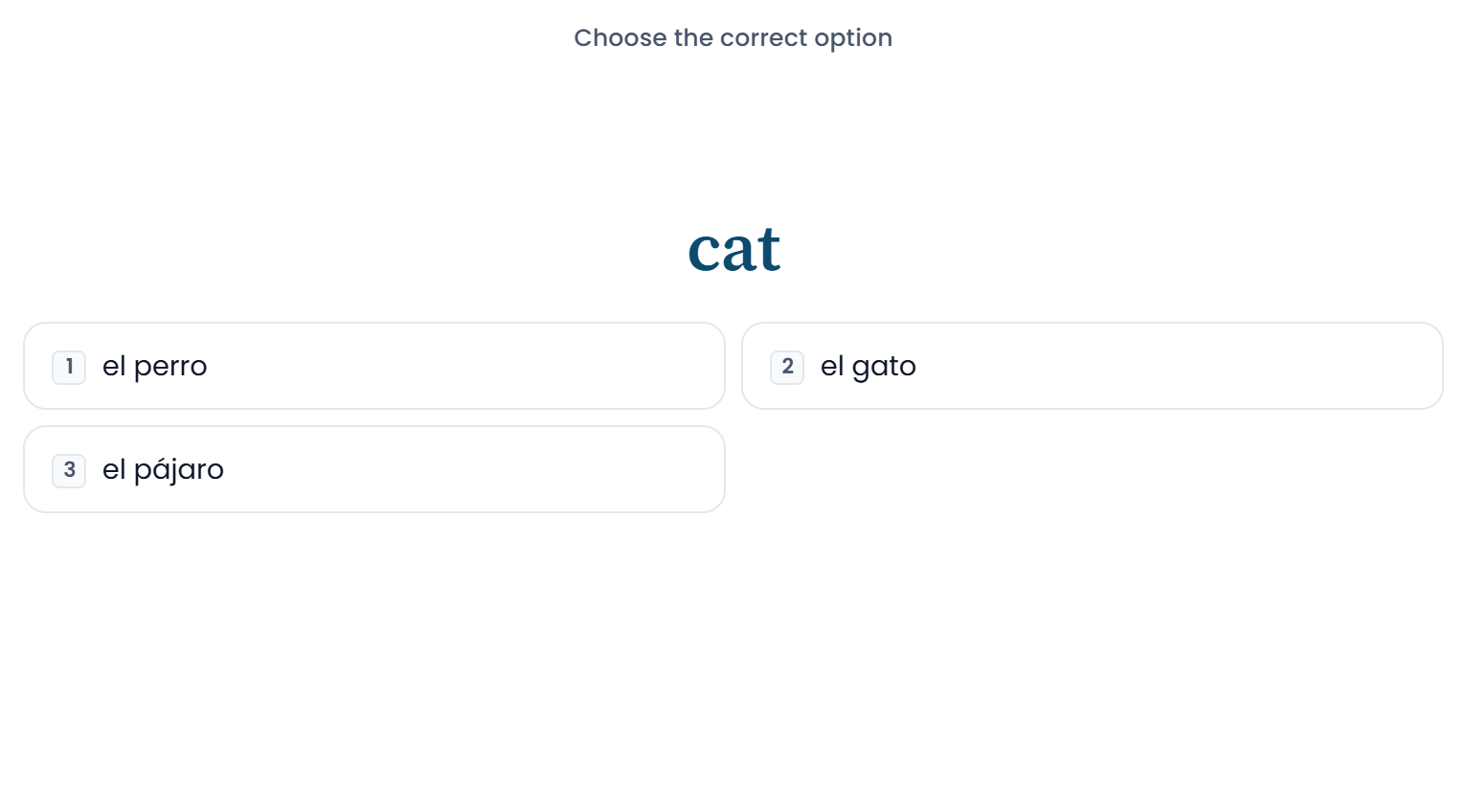 The Choice mode; the digits on the buttons are keyboard shortcuts.
A card arrives in one of the modes its data allows. After answering, rate how easily it came back: the rating moves the next showing closer or further away. An easy card returns in a few days, then in weeks; a forgotten one comes back today.
Rate by what happened, not by what you hoped for. "Easy" on a card you barely recalled is the fastest way to wreck the schedule.
4. Read the progress panel
Below the session on the Learn tab sits the Progress block, in two parts.
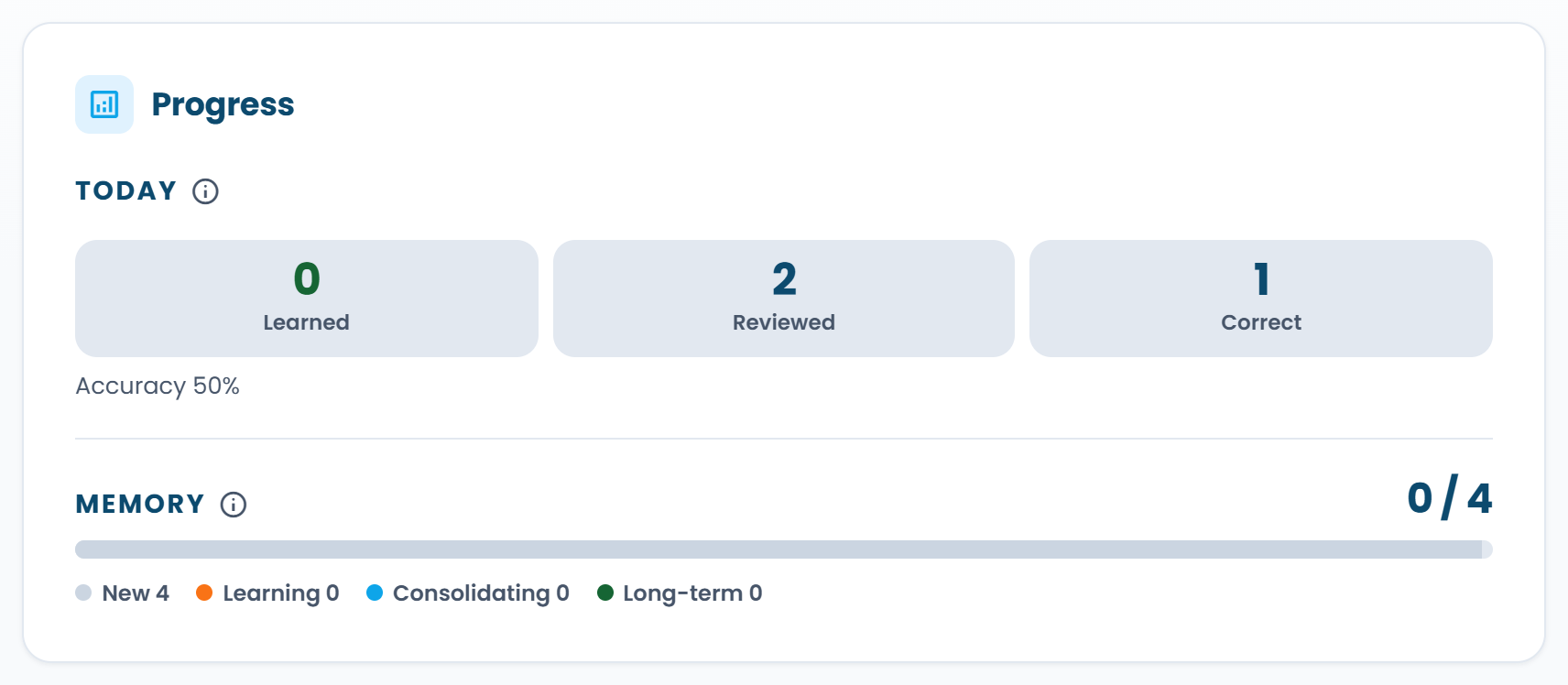 "Today" is about the current day; "Memory" is about how mature your knowledge of the deck is.
- Today. How much you learned and reviewed today and how many answers were correct. If reviews are scheduled for today, you also see how many are left and whether anything is overdue: cards whose date has passed. A small tail is normal; a growing one means you are adding new cards faster than you retain the old ones.
- Memory. How mature your knowledge of the deck has become. Every card travels "new → learning → consolidating → long-term", and the bar shows where the whole deck is.
There is no day streak, on purpose: a missed day costs almost nothing, while a card left overdue for three weeks costs you the card. Overdue and maturity are honest signals; a streak is not.
The language of each card side
A deck's pair of languages describes the sides of the card, not the subject you are studying. In a Spanish deck for English speakers the front language is English and the studied language is Spanish, even though Spanish is what you are learning.
Three things follow from that pair: which side can carry pronunciation, which side you are asked to
type, and which catalogue collection the deck lands in. The catalogue filters on the front language,
so a Spanish deck for English speakers sits in the en collection. For a collection by subject,
use the catalogue tags.
Getting the pair the wrong way round breaks nothing and can be fixed in the deck settings at any time.
What next
- One card, nine questions: what each mode asks and which fields unlock it.
- AI in RepeatMe: a deck from a topic description and a tutor in your chat.
Preguntas frecuentes
Do I need an account to study a public deck?
No. Any public deck can be studied from its page as a guest: progress is kept in the browser and can be moved into an account once you create one.
How many cards should a new deck have?
Enough for a session: twenty is fine. Five hundred new cards at once will bury you in first showings before the schedule settles.
Can I study more than what is scheduled for today?
Yes: press Drill deck on the deck's page. Remember that answering again an hour after a correct answer teaches almost nothing: the intervals are there for a reason.