 RepeatMe
One card, nine questions: the learning modes
Most flashcard apps show you a card and ask "did you remember it?". RepeatMe asks up to nine different questions about the same card, from recognising it to typing it from memory. This page is about how to switch them on and why you would want to.
Why several modes for one fact
Recognising a word and producing it are different skills. You can pass "cat → кот" a hundred times and still freeze when you need the word in a sentence. The modes form a ladder: recognising is easy, choosing is harder, producing from memory is hardest. A hard mode you pass is worth a longer interval than an easy one.
You do not choose the mode yourself. The session picks from whatever the card's data supports. To drill one skill, narrow the set with Change modes on the Learn tab.
The nine modes
| Mode | The question | Needs |
|---|---|---|
| Flip | front shown, recall the back, then check yourself | front + back |
| Reverse flip | the same in the other direction | a back no other card of the deck has |
| Choice | pick the back from several options | front + back; wrong options optional, otherwise drawn from the deck |
| Reverse choice | pick the front from several options | a back no other card has + three more cards in the deck |
| Match | pair up several cards at once | short sides, four such cards in the deck |
| Type | type the back from memory | a short back, not a whole sentence |
| Reverse type | type the front from memory | a short front and a back no other card has |
| Cloze type | fill the gap in a sentence | a sentence with a gap |
| Cloze choice | pick the missing word in a sentence | a sentence with a gap; your own options or the deck’s |
A card with only a front and a back already works in almost every mode: the options for choosing are drawn from the deck’s other cards. A sentence with a gap opens two more. The editor shows exactly where the card will appear under Where it shows, along with why a mode is missing. You do not have to fill the fields in by hand: AI can do it.
Accepted answers, not one right string
A typed answer is checked against a set of acceptable answers, not one string. "cheerful", "happy" and "in a good mood" can all be correct for the same card, and you decide which. A typo does not count as forgetting: the comparison is fuzzy.
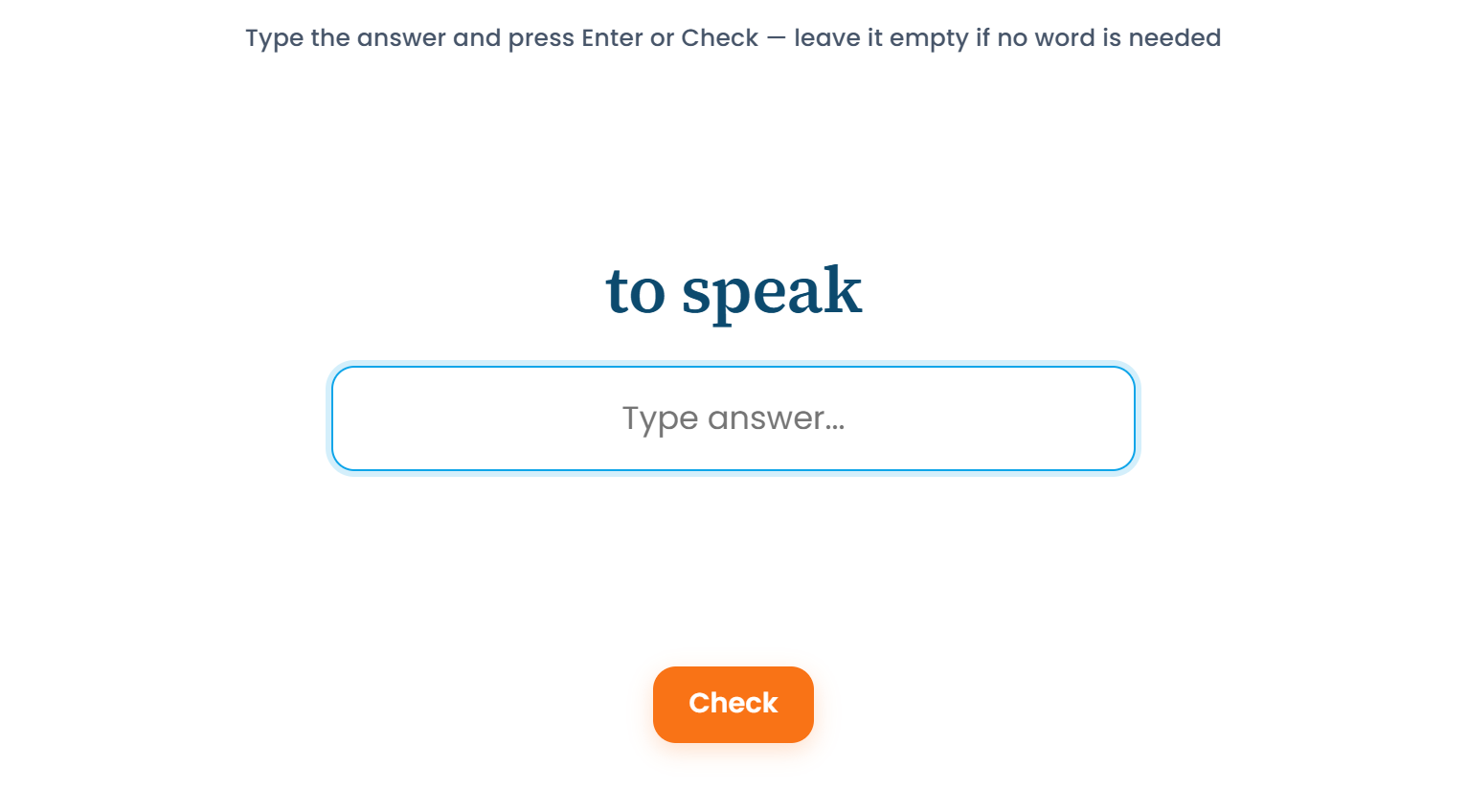 The top of the ladder: recall it and type it yourself.
This is what makes typing usable for real language material rather than only for spelling tests.
Context and explanation
Two fields that are easy to confuse:
- Context disambiguates the question. Use it only when the front alone admits more than one correct answer: the word "match" needs to say whether you mean the sport or the fire. It must never hint at the answer.
- Explanation is shown after you answer. That is where the rule, the mnemonic or the caveat goes.
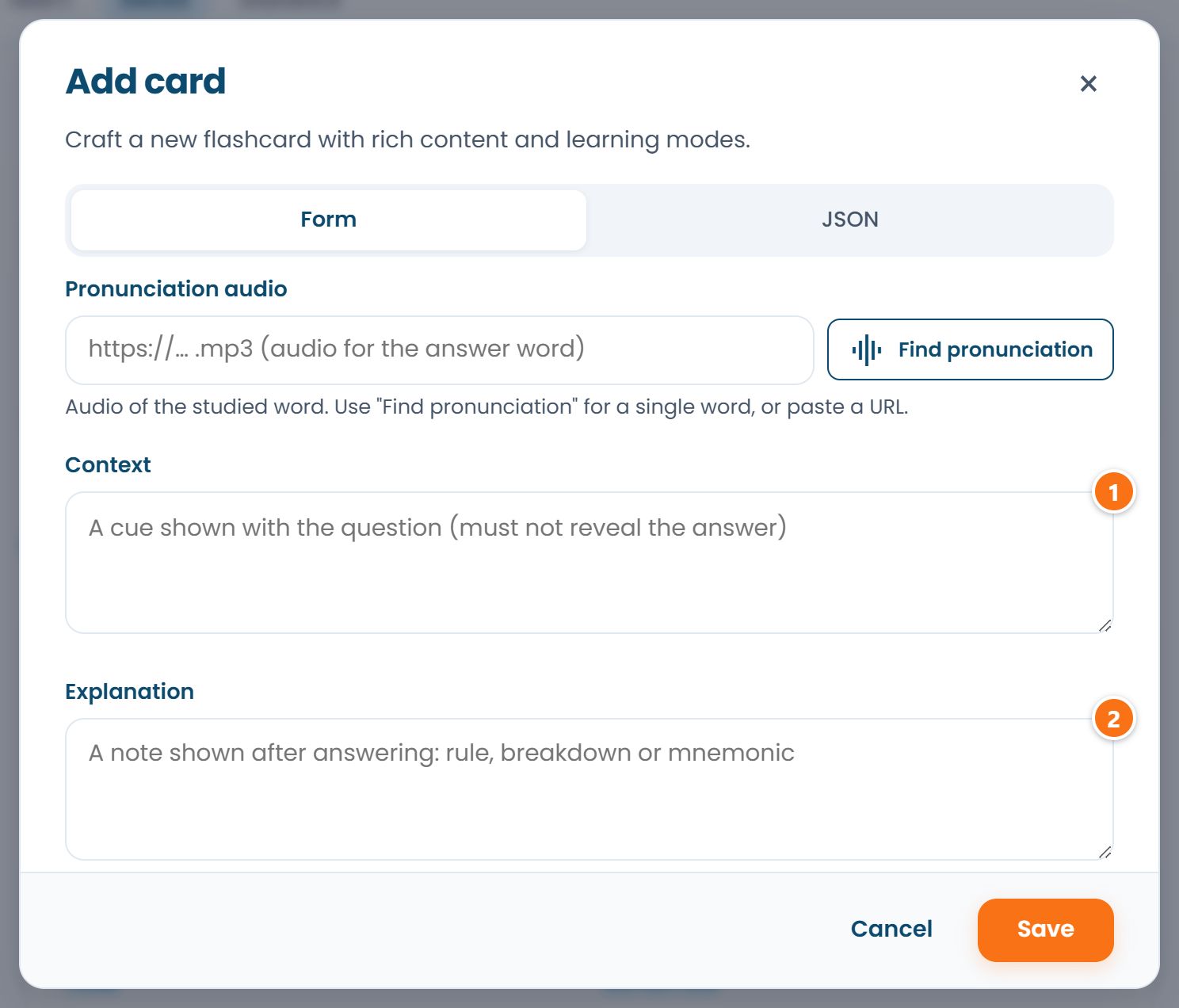 ① is shown together with the question; ② appears only after you answer.
Putting the explanation into the context is the most common way to make a card too easy to be worth reviewing.
Lessons: an article attached to a deck
A deck can carry a lesson: an article explaining the material the cards drill. The lesson page is public, and it also gives the reader an AI tutor: a session on this deck in their own chat, with cards for their mistakes at the end. How that works is in AI in RepeatMe.
The full field-by-field reference, with recipes for different kinds of material, lives in the card authoring guide.
FAQ
Can I turn a mode off for a whole deck?
Yes. Open Edit deck and untick the mode under Deck modes: the deck’s cards stop appearing in it. New modes switch on by themselves. To narrow the set for one session, use Change modes on the Learn tab.
Do images work on cards?
Yes, one per side. The card form has "Question picture" and "Answer picture": upload a file or paste an https link. The question picture shows with the question, so you can build "name what you see" cards on it. The answer picture is revealed only after you answer. Shown earlier it would give the answer away.
What happens to my progress if the deck's owner edits a card?
It is kept. Editing changes what the question asks, not how well you have learned it, so the schedule carries on from where it was.