 RepeatMe
Your answer was right but the card refused it
You typed an answer that means the right thing and the card marked it wrong. You can fix that without leaving the session, and make the same wording count from then on.
Why a correct answer can still fail
Typed answers are compared to the card's answer character by character. One or two characters off counts as Hard; anything beyond that counts as Wrong.
Small noise is stripped before the comparison, so it is almost never the cause: capitalisation, quote and dash styles, doubled spaces and punctuation at the edges make no difference.
What a character comparison cannot do is work out why two strings differ. Calm down and calm yourselves down are several edits apart; so are two phrases with nothing in common. The edit count is the same and the meaning is not, and character comparison cannot tell them apart. So a wording the author never listed looks exactly like a mistake. The cure is the card's list of accepted answers. Until that list exists, your own button in the session does the same job.
Count the answer as correct
- Once the answer is checked, press Count as correct under what you typed. The verdict changes to "Counted as correct". The button is there for a Hard verdict too.
- Carry on with the session. The override lands before the answer is recorded, so the card's schedule is recalculated on the new rating, as though you had typed it exactly.
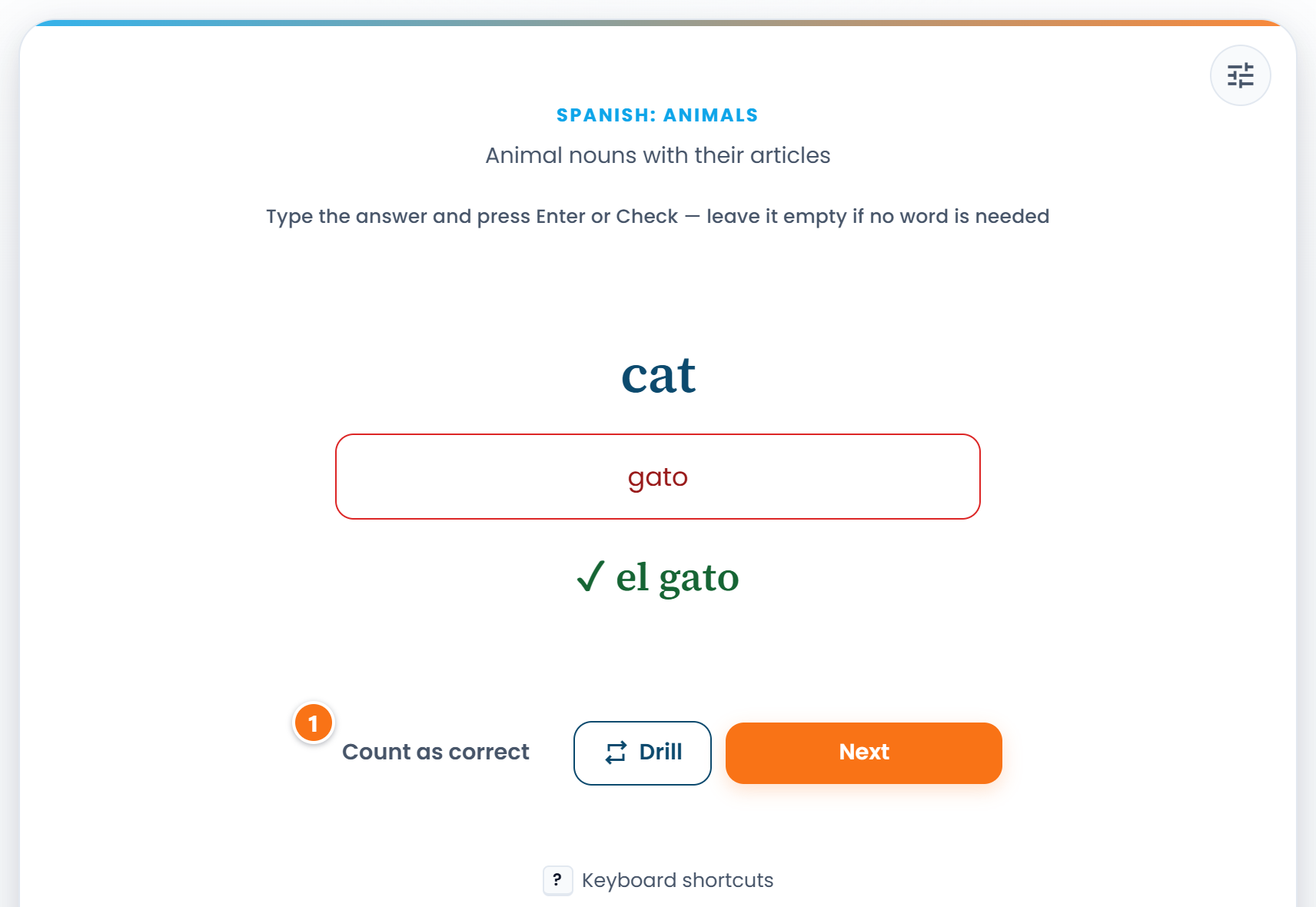 ① — Count as correct. The learner typed "gato"; the card expected "el gato".
The button lives in typed modes only, and only for a non-empty answer: a card you skipped is not an answer you can credit yourself with.
What stays in the footer is the way to fix the card for good. On someone else's deck that is Tell the author: the form opens on "My answer is correct too" with your wording already in it, and you only have to send it. On your own card there is nobody to tell, so the card's editor opens instead.
You do not have to explain anything separately: the override itself already reaches the deck owner as a number: how many learners typed that same wording. Send a report only when you want to add a note to it.
Add the wording to the accepted answers
If the deck is yours, the durable fix is to list the equivalent forms on the card.
- On the deck page, open the card for editing.
- In Accepted answers, list the alternatives separated by commas. The main answer always counts, so there is no need to repeat it.
- Press Save. Learners already studying the deck pick the change up too.
Each side has its own field: Back side covers typing the answer to the front prompt, Front side covers the reverse mode. A wording added to one side does not apply to the other.
What learners have already credited themselves
Every override on your cards collects in Answers learners counted as correct on the Statistics page, My publications tab. It is the cheapest source of missing wordings you have: the learner did not have to write a report, and you can see how many people typed the same thing.
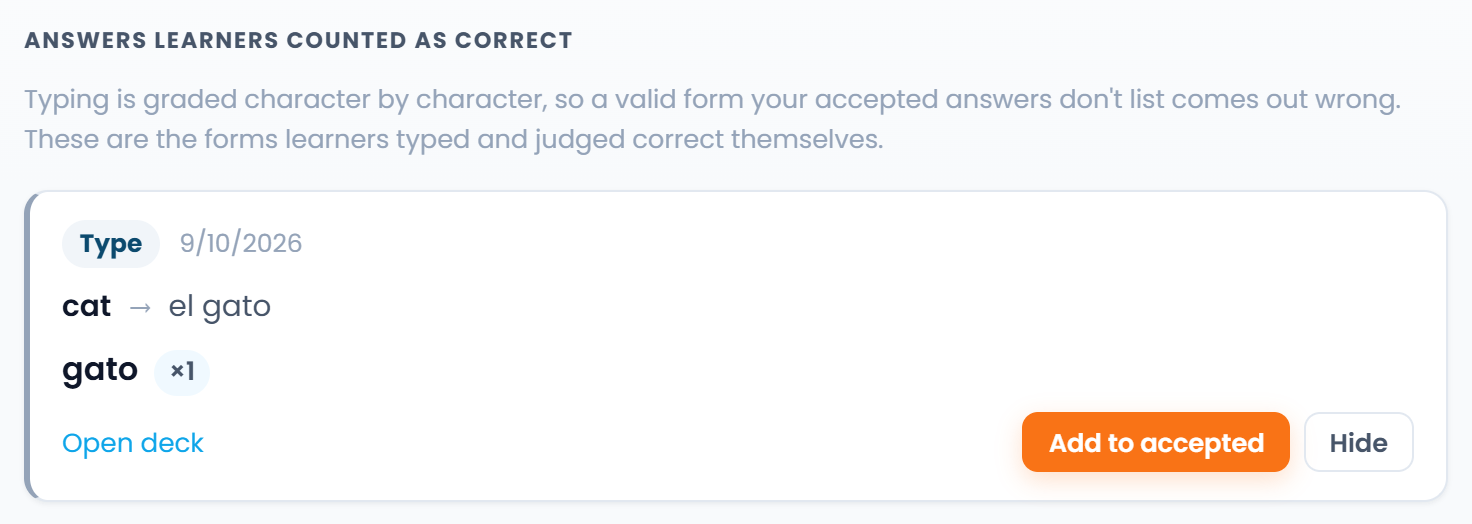 Next to the wording is how many learners typed it.
Press Add to accepted and the wording joins the card's list in one action. If the card has several blanks, the button sends you to the editor instead, because which blank it belongs to is not something that can be decided for you.
Your own answers count alongside everyone else's. Your own deck is exactly where a missing form turns up first.
Preguntas frecuentes
Does overriding spoil my statistics?
No. A credited answer is treated as an exact one: it counts towards the cards you got through and extends the card's interval just as a letter-perfect answer would.
Will the author see that it was me?
No. Only the wording and the number of learners who typed it reach the owner. Your name is attached only if you send a report through Tell the author.
Can I count an answer without an account?
Yes, the button works in a guest session too, but it stays there: neither a schedule nor an owner's list changes.
Is an empty answer a mistake?
No. An empty answer is a real answer wherever no word is needed, such as a zero article or a bare verb. If the card expects one, leave the box empty and press Check.